Tuesday, 25 September 2012

Google I'm Feeling Lucky

1. Do a barrel roll - I'm feeling lucky

2. Google Sphere - I'm feeling lucky

3. Epic Google - I'm feeling lucky

4. Google Gravity - I'm feeling lucky

5. Google Loco - I'm feeling lucky

6. Google Gothic - I'm feeling lucky

7. Google Pacman - I'm feeling lucky

8. Google Guitar - I'm feeling lucky

9. Google Pirate - I'm feeling lucky

10. Google Rainbow - I'm feeling lucky

11. Google Reverse - I'm feeling lucky 

12. Google Mirror

13. Google Terminal

14. Google Underwater

15. Google Hurdles

16. Google Slalom Canoe

Tuesday, 4 September 2012

Over the last two weeks we have been making some garage sale posters on publisher. We needed to think about colour, size of font, pictures and not putting heaps of random colours on the poster. This is what we have put together:

Tuesday, 17 July 2012

Welcome Back!

Hi everyone

Welcome back to Term Three.
We are continuing with our online video editing. We wanted to find software that we could use on any computer in the school and we are starting with YouTube's new editing site. Here is what we have done so far:

1. In groups of three, record a quick introduction of yourself - your name, your year group, what subjects you like.
2. Upload your video to the YouTube editing site (the link is on the blog!)
3. Start editing your movie! Add effects, credits etc
4. Upload to YouTube and your blog!

This all takes time and it may be a couple of sessions before we have our videos on the blog but please bear with us! :)

Monday, 25 June 2012

Kia Ora!

Today we are exploring some online video editing software. We found this one which has had really good reviews. We even found a tutorial on how to use it! If you want to make a movie yourself, check out our documentary and movie making pages on this blog.

Online video editing - Youtube.com/editor
Tutorial on how to use it - click here

Tuesday, 12 June 2012

Tena Koutou 

Following on from our session last week, we are learning how to upload a movie or video from our desktop. In Term one we learned about narrowing searches and searching for just news or images. We used what we know about key words to make sure our search was specific and we then refined our search by clicking on videos on the left hand side. Once we watched a video on "how to upload a video from the desktop to our blog", we were able to put our finished products onto our blog! Here's a video we found that is pretty good.


How to Add a Video to a Blog -- powered by ehow

Tuesday, 5 June 2012

Making Music Videos!

Hey guys! This week we have been putting static images to music to create a type of music video. We just learned this so the videos are not too refined but imagine what you can do with a tool like this!!!!! If you want to make one yourself, go to uk.bloggif.com and scroll down to Animated Video. Enjoy!!!!

Tuesday, 22 May 2012

3d cubes

Montage bloggif Montage bloggif Montage bloggif Montage bloggif Mounting Bloggif Mounting Bloggif

Cool 3D Cubes

Hi guys!

Sorry I couldn't be with you today but that doesn't mean we can't still have a lot of fun! You have all become very familiar with Powerpoint over the year so I have set up a challenge for you! I would like you to upload your finial result onto the blog and I will sign in and have a look after school!

You can do this!!! Just read the instructions VERY clearly! (remember how to tile windows? It might come in handy here). Good luck - I can't wait to see what you come up with.

If you want a topic, why not use the photos of yourselves from last week and create a little YouCube (teehee).

Follow this link

Tuesday, 8 May 2012

Welcome to Term Two

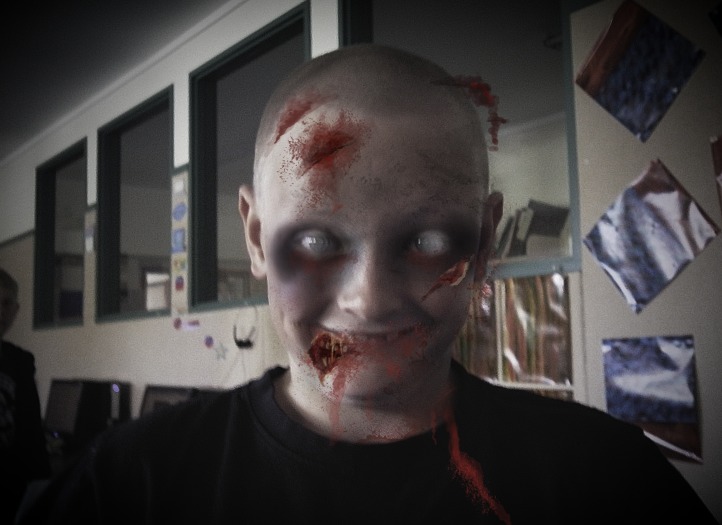
Hi de hi all. We have decided to carry on our fun with photos. Today, we started with Photofunia. This is a fantastic site that changes the look of your photos. Check out some of the photos we created.


Tuesday, 3 April 2012

Fun With Photos 2

Hi de Hi all Again

We are going to spend the last two weeks of term looking at different ways to enhance photos. We are going to use a few different programmes to see what kind of effects we can get from them. Today we used Microsoft paint and learned about the brush tools and the eyedropper tool. Here are some of our creations.

Tuesday, 27 March 2012

Fun with Photos

Hi de Hi all!

We are going to spend the last two weeks of term looking at different ways to enhance photos. We are going to use a few different programmes to see what kind of effects we can get from them. Today we used Microsoft paint and learned about the brush tools and the eyedropper tool. Here are some of our creations.


Tuesday, 20 March 2012

Welcome to the Internet!

Welcome to our first post of 2012! We have been learning this term about how the internet works and what types of things you can do on there.

Here is a resource that we used to help us with learning more about the internet and how it all works!

Welcome to the Internet

Tuesday, 8 November 2011

Making You Tube Videos

Hey fancy followers! Check out our pages. We have begun constructing criteria to make learning resources for the school through Youtube.

First of all, we checked out some videos on Youtube - Peter Weatherall has tonnes!
Next we decided what it was about the videos that helped make us learn
Then we came up with some ideas for our school - e.g. wearing hats, the school waiata, the haka
Next we had to decide how we were going to make these - animation, movie making, slideshow etc.

It's a whole Term Project so check back towards the end of this Term. We will try and post our progress weekly so you know how we are getting on!

Thursday, 22 September 2011

Make Your Own Trading Cards!

In Techsperts today, we looked at different ways to present information about countries involved in the rugby world cup. We decided to make a trading card for each country. Here is an example of one:


You can change the background, write anything you like and create groups of cards to shre with your friends. It is a lot of fun and very easy to do. If you want to make them yourself, click here

Tuesday, 16 August 2011

Depth in Photos

Today we have been looking at the different depth we can put into a photo. We have tried having something close up to the camera, something mid way and something in the background. Let us know what you think!


Tuesday, 9 August 2011

Photography

This term we will be looking at photography and film making. We started the term by taking pictures using different angles. This means not just holding the camera in front of us, but changing where we stand, sit or lie when we take a photo. Here are a few examples of our angles investigation.


Thursday, 30 June 2011

Using Motion Paths in Powerpoint

Today we learned how to use motion paths in powerpoint. You can make things move across the slide any way you want. Here are the instructions:
1. Open powerpoint
2. Choose a picture and insert it OR draw one yourself using shapes.
3. Go to slideshow and choose animation
4. Got to custom animation and choose motion paths. You will get a pencil on your screen and you can draw the ath you want your picture to move in.

Have a play and enjoy!

Tuesday, 31 May 2011

Animation in Powerpoint

We have been learning how to use Powerpoint as an animation tool. Here is a You Tube video which helped us.


Next week we will be learning to use motion paths - stay tuned!!

Tuesday, 17 May 2011

Graphic Design

Graphic Design Ideas

Today we learned how to make an inspirational poster using graphic designs and quotes found on the internet. Here are a few of the posters we made: