Hi everyone
Welcome back to Term Three.
We are continuing with our online video editing. We wanted to find software that we could use on any computer in the school and we are starting with YouTube's new editing site. Here is what we have done so far:
1. In groups of three, record a quick introduction of yourself - your name, your year group, what subjects you like.
2. Upload your video to the YouTube editing site (the link is on the blog!)
3. Start editing your movie! Add effects, credits etc
4. Upload to YouTube and your blog!
This all takes time and it may be a couple of sessions before we have our videos on the blog but please bear with us! :)
Tuesday, 17 July 2012

Monday, 25 June 2012
Kia Ora!
Today we are exploring some online video editing software. We found this one which has had really good reviews. We even found a tutorial on how to use it! If you want to make a movie yourself, check out our documentary and movie making pages on this blog.
Online video editing - Youtube.com/editor
Tutorial on how to use it - click here
Today we are exploring some online video editing software. We found this one which has had really good reviews. We even found a tutorial on how to use it! If you want to make a movie yourself, check out our documentary and movie making pages on this blog.
Online video editing - Youtube.com/editor
Tutorial on how to use it - click here
Tuesday, 12 June 2012
Tena Koutou
Following on from our session last week, we are learning how to upload a movie or video from our desktop. In Term one we learned about narrowing searches and searching for just news or images. We used what we know about key words to make sure our search was specific and we then refined our search by clicking on videos on the left hand side. Once we watched a video on "how to upload a video from the desktop to our blog", we were able to put our finished products onto our blog! Here's a video we found that is pretty good.
How to Add a Video to a Blog -- powered by ehow
Following on from our session last week, we are learning how to upload a movie or video from our desktop. In Term one we learned about narrowing searches and searching for just news or images. We used what we know about key words to make sure our search was specific and we then refined our search by clicking on videos on the left hand side. Once we watched a video on "how to upload a video from the desktop to our blog", we were able to put our finished products onto our blog! Here's a video we found that is pretty good.
How to Add a Video to a Blog -- powered by ehow
Tuesday, 5 June 2012
Making Music Videos!
Hey guys!
This week we have been putting static images to music to create a type of music video. We just learned this so the videos are not too refined but imagine what you can do with a tool like this!!!!! If you want to make one yourself, go to uk.bloggif.com and scroll down to Animated Video. Enjoy!!!!
Tuesday, 22 May 2012


Cool 3D Cubes

Sorry I couldn't be with you today but that doesn't mean we can't still have a lot of fun! You have all become very familiar with Powerpoint over the year so I have set up a challenge for you! I would like you to upload your finial result onto the blog and I will sign in and have a look after school!
You can do this!!! Just read the instructions VERY clearly! (remember how to tile windows? It might come in handy here). Good luck - I can't wait to see what you come up with.
If you want a topic, why not use the photos of yourselves from last week and create a little YouCube (teehee).
Follow this link
Tuesday, 8 May 2012
Welcome to Term Two
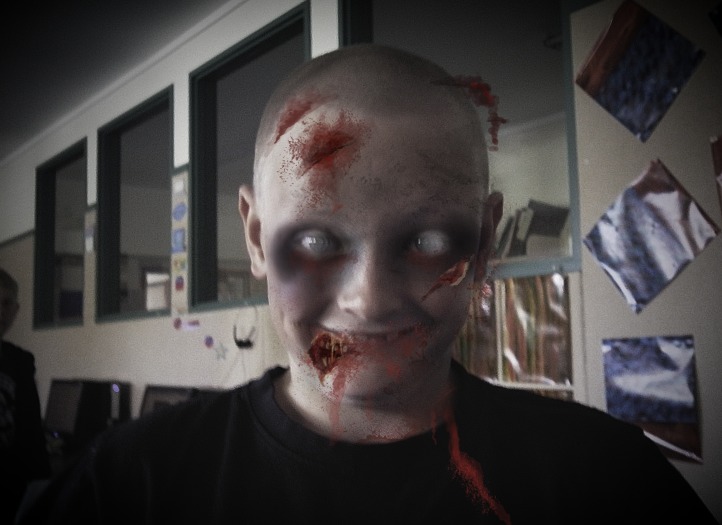
Hi de hi all. We have decided to carry on our fun with photos. Today, we started with Photofunia. This is a fantastic site that changes the look of your photos. Check out some of the photos we created.


Hi de hi all. We have decided to carry on our fun with photos. Today, we started with Photofunia. This is a fantastic site that changes the look of your photos. Check out some of the photos we created.




Subscribe to:
Posts (Atom)